
5 min read
Most small business Facebook pages go quiet for ordinary reasons. The owner is busy, posts are rushed, and nobody looks at the page the way a stranger would. The most common Facebook mistakes small businesses make are easy to spot once you know what to look for, and each one has a fix that takes an hour or less.
Mistake 1: Posting in bursts, then disappearing
A typical page shows four posts in one week, nothing for three weeks, then an apology post that says “we’re back!” A visitor who sees that gap has no reason to follow the page, and Facebook shows little recent activity.

The fix: pick a schedule you can keep even in your worst week. Two posts a week beats seven posts for a fortnight and then silence. Sit down once, write the next four posts in one session, and use Facebook’s built-in scheduling tool to spread them out. A bakery could plan one product photo, one behind-the-counter moment, one customer question, and one offer. You are done for the month in a single sitting.
Mistake 2: Graphics that look rushed
Common signs: a dark phone photo with a crooked logo pasted over it, text that blends into the background, or a different font and color scheme on every post. Viewers scroll past these in under a second because nothing signals what the post is about.
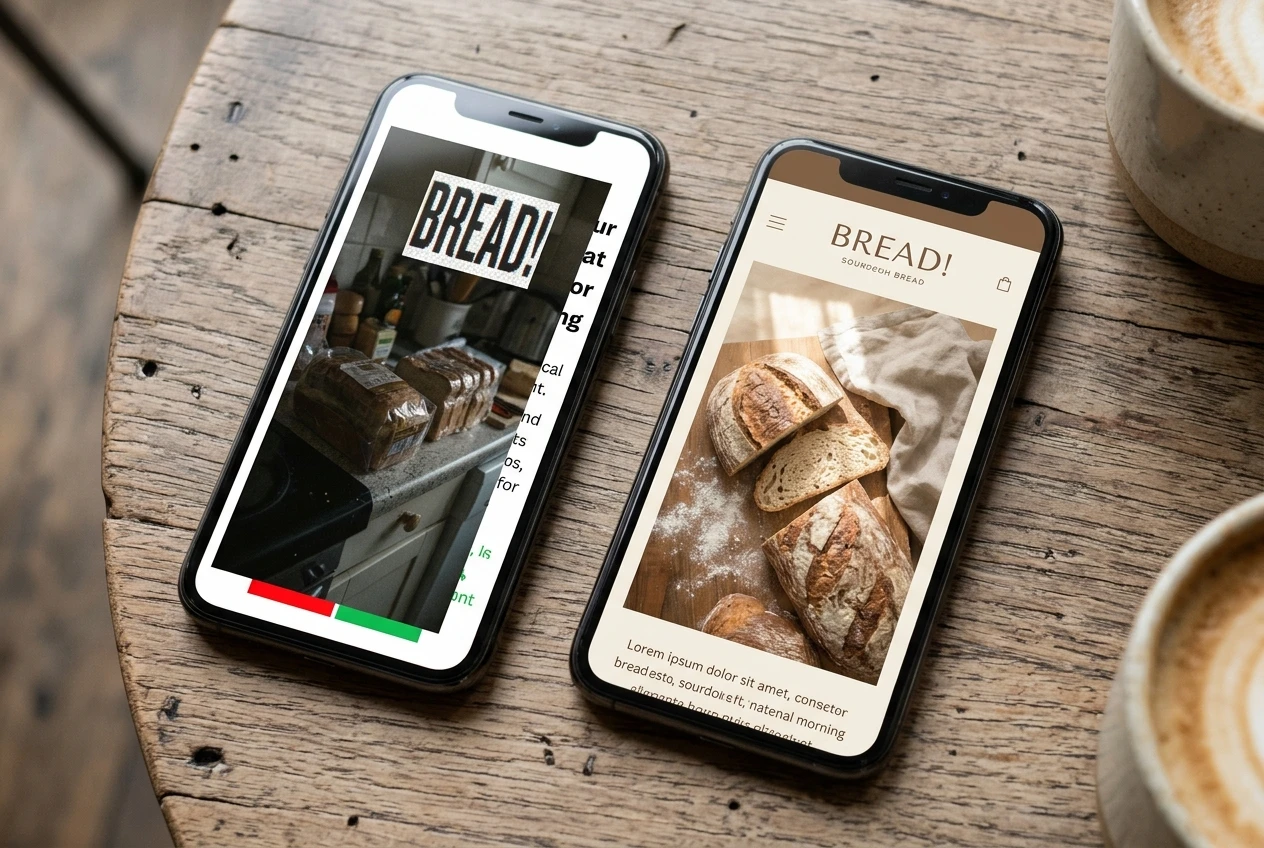
The fix: choose two or three brand colors and one or two fonts, and reuse them on every graphic. If you have no photos that suit a post, an AI image generator can produce a clean background or illustration from a plain description such as “flat lay of fresh bread on a wooden table, soft morning light, space on the left for text.” Add your text over it in a free design tool. Check the result before you post: AI images can distort hands, text, and small details, and a picture that misrepresents your actual product will cost you trust. Use real photos of your own work whenever you have them.
Mistake 3: Leaving comments and messages unanswered
A customer asks, “Do you deliver to the north side?” and the question sits there for a week. Everyone who scrolls past sees that no one answered. Unanswered messages are worse, because the person asking was ready to buy or book.

The fix: set two short check-ins a day, ten minutes each, to reply to comments and messages. Then open your Page’s inbox settings and turn on an instant reply that confirms you received the message and says when you usually respond. Save replies to the questions you get most often (hours, prices, location, how to book) so a full answer takes seconds. Even a simple “Thanks, great question” on a comment gives the post more activity.
Mistake 4: No clear message
Open the page cold and ask what the business does, who it serves, and what to do next. If the answer takes more than a few seconds, the page has no clear message. This shows up as a vague About section, a cover photo with no information, and posts that jump between recipes, memes, and unrelated news.
The fix: write one sentence in this form: “We help [specific customer] with [specific problem] in [place or way].” Put that sentence in your page’s intro and cover image, and check each new post against it before publishing. Then add a button at the top of the page, like Call, Message, or Book Now, so the next step is obvious. A plumber who writes, “Emergency plumbing for homes in the east side, call anytime,” tells a visitor everything they need in one line.
Mistake 5: Skipping Reels and Stories
Many owners post only static images and text. Reels and Stories are separate formats with their own places in the app, so they can put your business in front of people who never see your regular feed posts. A page that uses only one format reaches fewer of them.

The fix: record one 15- to 30-second video with your phone this week. Pick something you already do: packing an order, finishing a job, answering one customer question out loud. Film it vertically, hold the phone steady, and add captions, because many people watch with the sound off. Post it as a Reel, and share a few seconds of it to your Story the same day. You do not need editing skills or a script. A plain, clear video of real work is enough to start.
Choosing where to begin
Fix the mistake that costs you customers right now. If messages are sitting unanswered, start with mistake 3 today. If your page has not posted in a month, schedule your first four posts. Make one change, leave it running for two weeks, and look at which posts get more reactions, comments, and messages. Your own page’s numbers will tell you more about your audience than any general rule.